Deployment Success
DNS improvements significantly reduced configuration errors identified in early testing.
This project demonstrates integrated console UX and deployment documentation for Amazon Elastic VMware Service (Amazon EVS), an AWS platform that enables enterprises to migrate VMware-based workloads to the cloud without re-architecting applications. I created console UI text, 28 help panels, and deployment documentation from scratch as integrated components of a unified Day 1 experience, shipping on schedule with the service’s general availability launch.
The work spanned private preview, public preview, and general availability launch. I collaborated with EVS product, UX, engineering, and solution architect teams to address complex networking requirements, DNS validation friction identified during public preview, and cross-service documentation coordination across AWS and VMware components.
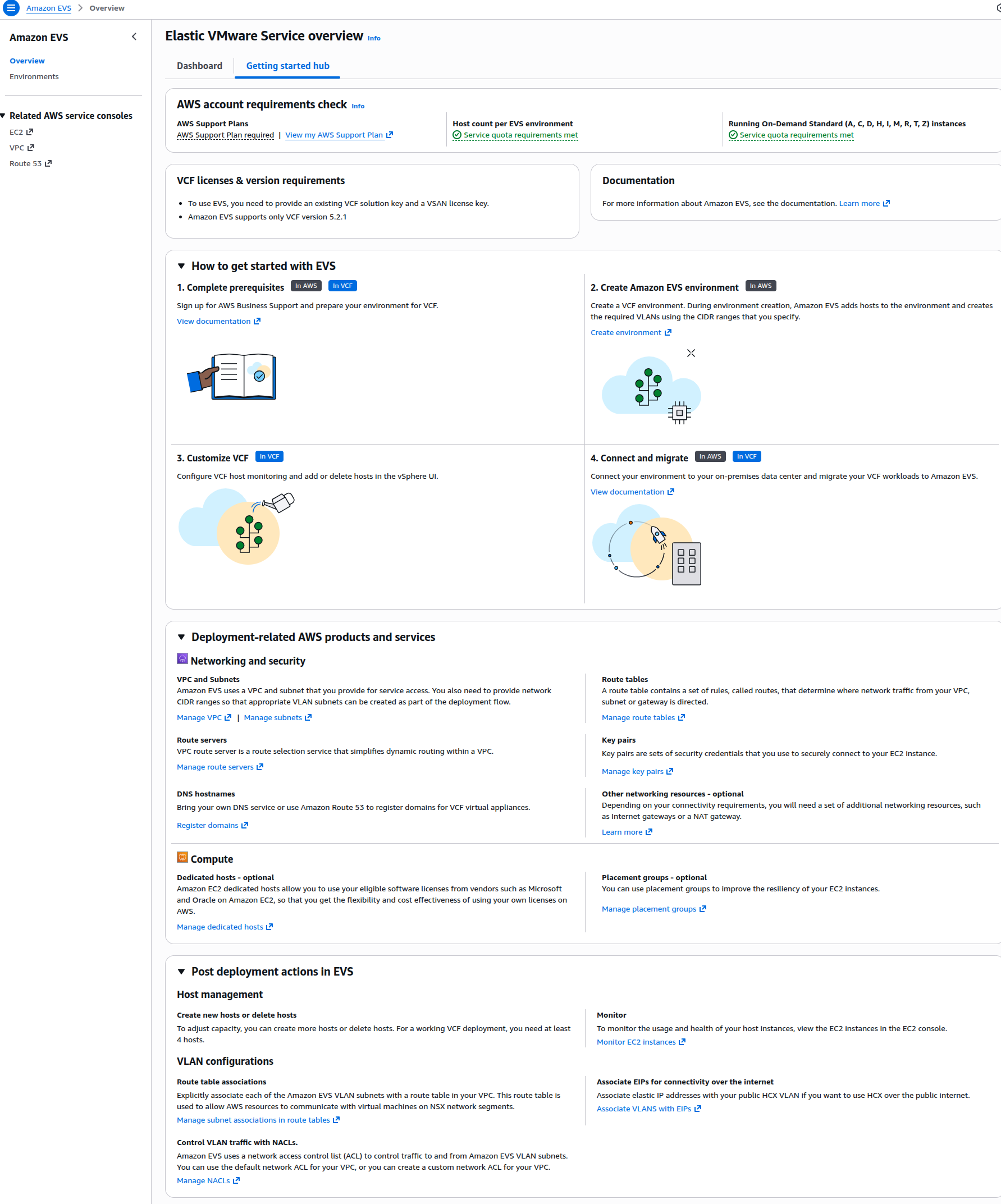 EVS console Get Started page guiding customers through deployment prerequisites
Amazon EVS enables enterprises to migrate VMware-based workloads from on-prem to AWS. Enterprise customers increasingly required flexible, customer-managed cloud alternatives to modernize their VMware workloads. However, the standard VCF deployment experience can involve manual processes with multiple friction points. Amazon EVS needed to simplify VCF deployment while supporting complex networking requirements to ensure successful customer adoption.
Complex networking requirements:
DNS validation friction: Early customer testing revealed a deployment barrier: free-form DNS hostname inputs with no console-side validation were a significant source of configuration friction. Customers frequently entered invalid hostnames that resulted in validation failures late in the provisioning workflow, requiring them to restart the setup process and impacting first-deployment success rates.
Knowledge gaps: VMware administrators migrating to AWS needed contextual guidance bridging on-prem VMware concepts with AWS service integration patterns.
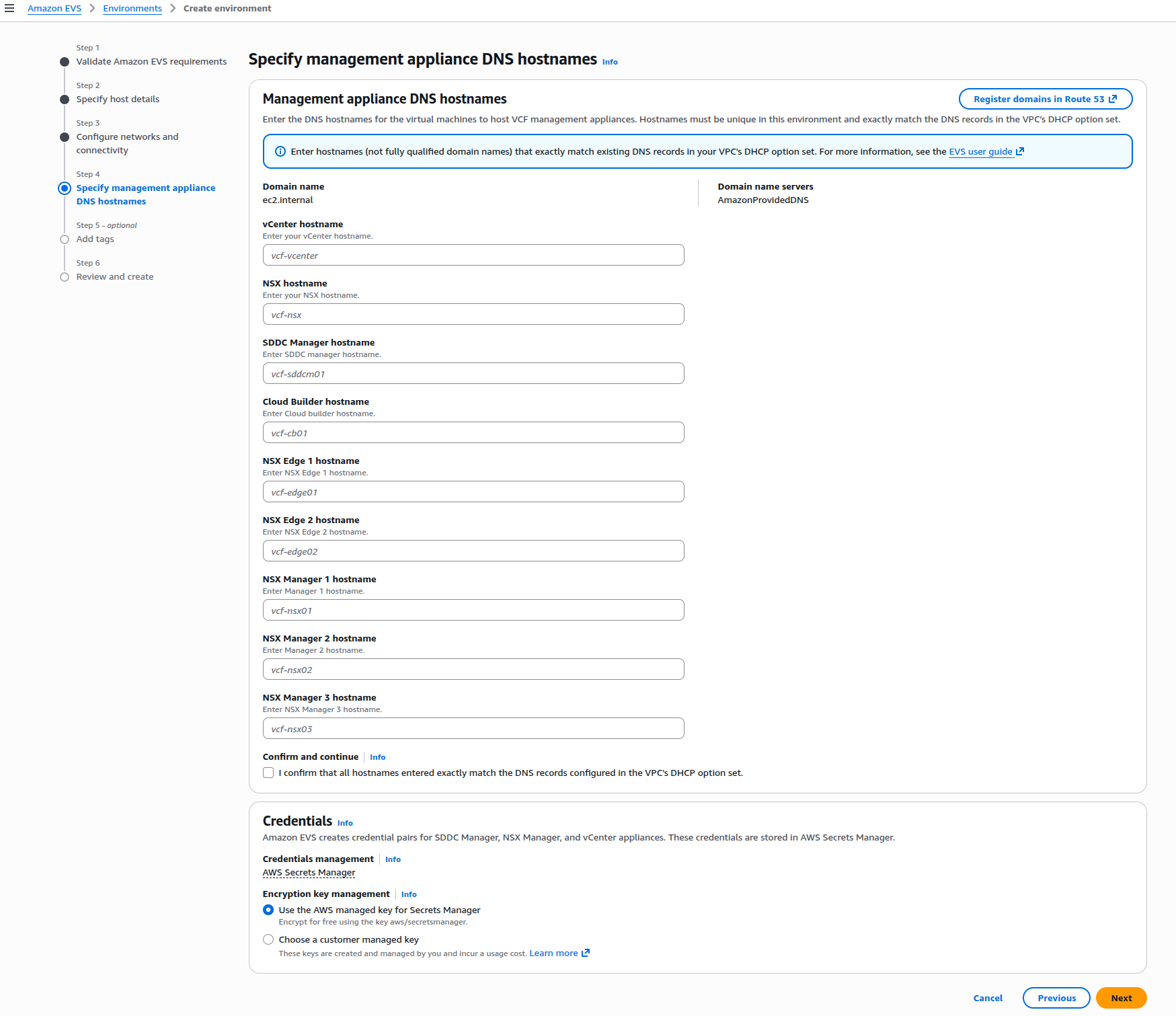 DNS hostname configuration step where validation failures revealed need for improved guidance
When public preview customer feedback revealed DNS validation as a primary friction point, I worked with PMs, UX, and engineering to address the issue across console and documentation surfaces.
Console improvements:
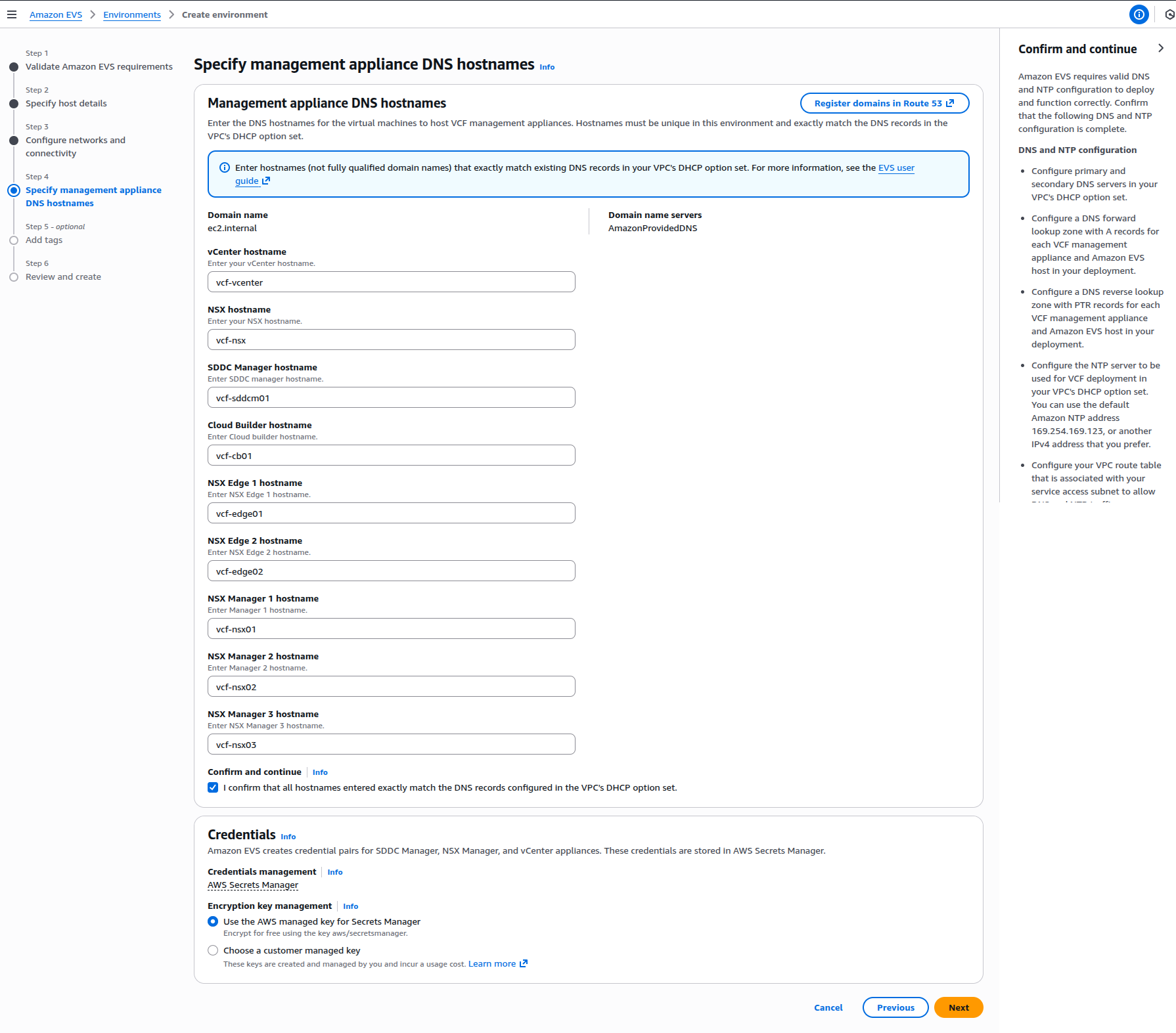 Management appliance DNS hostnames help panel explaining DNS configuration requirements
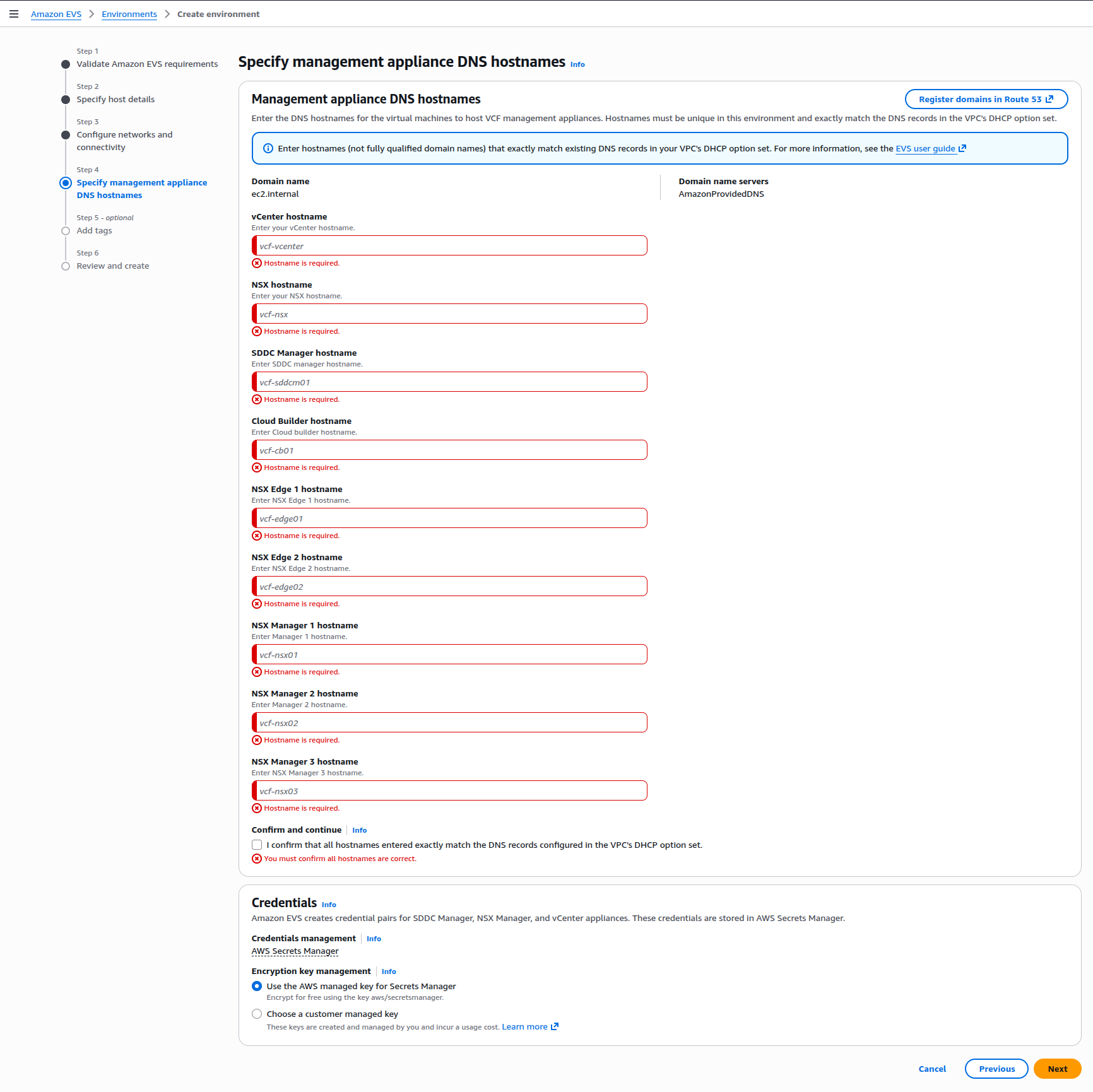 Validation error state when customers attempt to continue without required hostname inputs
Documentation improvements:
Major revisions across Getting Started and Setting Up pages, shipped with GA launch:
These coordinated updates addressed high-priority customer feedback identified by business leadership in weekly reviews.
Beyond DNS validation fixes, the project involved creating the complete EVS console and documentation experience. I led weekly console UI text workshops with PMs, UX designers, and console developers, providing feedback through multiple Figma design reviews that influenced overall design language and console element choices.
Console UI text:
Help panel system (28 panels total):
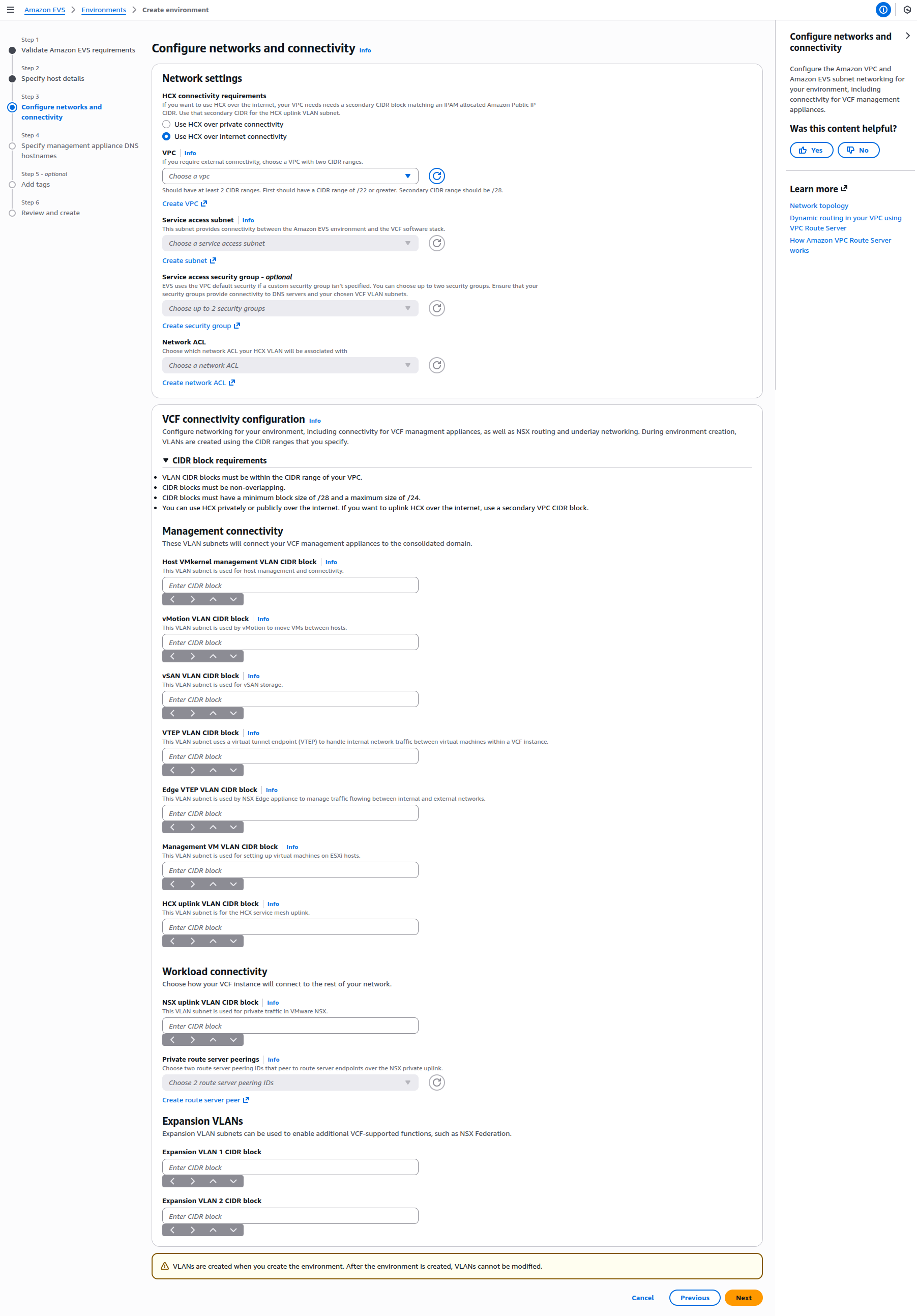 Network configuration step with contextual help guiding customers through complex VLAN subnet requirements
The help panels addressed VMware admin knowledge gaps about AWS services. For example, the VPC Route Server help panel explained BGP routing requirements and peer ASN configuration. These concepts were familiar to network engineers but potentially new to customers migrating from on-prem VMware.
Cross-functional collaboration:
Simultaneously with console work, I created deployment documentation across private preview, public preview, and GA launch phases.
Private Preview Documentation:
Public Preview Documentation:
Console, help panels, and documentation shipped on schedule through all three milestones: private preview, public preview, and general availability. Coordinated parallel launch across all EVS surfaces: user guide, API guide, CloudFormation, console, help panels, and documentation landing page. Post-GA work continued with major networking feature enhancements.
The 28 help panels passed UX design review on first submission, validating the decision to develop UI text through embedded weekly workshops rather than post-design retrofitting. Early PM/UX/engineering alignment on DNS validation messaging enabled coordinated fixes across console and documentation without requiring separate review cycles for each surface.
DNS validation improvements addressed the root cause of deployment friction identified through early customer testing. The help panel system enabled self-service deployment for VMware administrators new to AWS. Documentation supported independent first deployments while solution architects remained essential partners in teaching complex VMware concepts and providing deployment pattern expertise.
Deployment Success
DNS improvements significantly reduced configuration errors identified in early testing.
Independent Deployment
Help panel system enabled self-service for VMware administrators new to AWS.
Reduced Friction
Integrated console and documentation guidance supported first-time deployment success.
Cross-Platform Knowledge
Contextual help bridged on-prem VMware and AWS cloud concepts.
Deployment failure patterns weren’t discovered until public preview customer testing. Building feedback mechanisms early (syncs with product/engineering and field teams, business reviews, Voice-of-the-Customer (VoC) data analysis) enabled rapid response when friction emerged.
DNS validation required coordinated fixes across console (validation alerts, error messaging) and documentation (configuration guidance, prerequisites). Treating them as unified experience accelerated resolution.
Weekly workshops and daily engineering syncs meant I could contribute to DNS solution design rather than document decisions after the fact. Being in the room when product decisions happened accelerated both console and documentation improvements.